
Konica Minolta bizhub
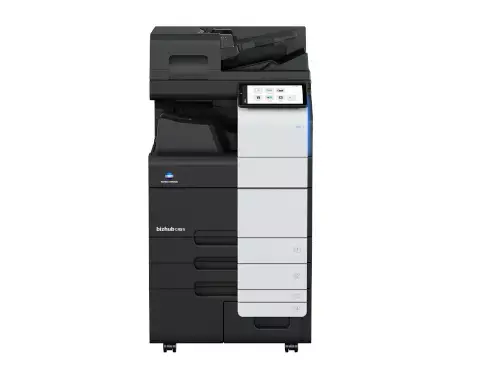
bizhub C451i
Explore the full specifications, highlights, and brochure for this bizhub device. Use the CTA below to return to the finder or contact us for tailored recommendations.
Colour
Colour
Paper size
A3 & A4
Speed
31 - 45 ppm
Volume
30k+ pages/mo
Key highlights
Key Features
- 45 ppm in colour and black & white
- Paper formats: A6-SRA3, custom formats and banner printing up to 1.2 m
- Automatic media type detection for improved User Experience
- 10.1-inch colour tablet-like touch panel with easy customisable modern UI
- Highest data security with even greater protection against malicious activity and increased visibility of attempted cyberattacks
- Media Support - Embedded media sensor can detect paper weight and type to ensure right settings are applied
- Finishing - Versatile finishing options include online- and offline-stapling, punching, letterfolding of up to 3 sheets per letter and booklets of up to 20 sheets (80 pages) for improved office productivity and professional documents.
- Security - A full set of security features provided by bizhub SECURE services, including Bitdefender® anti-virus engine to protect your organization from malware infection.
- User Experience - The 10.1-inch colour touch screen provides an easy operation, just like your smartphone or tablets. All main settings available at a glance to make the copying easier.
- Every new bizhub i-Series model has an improved and even more intuitive user interface. The function applications are now conveniently placed in the new folder “Useful apps” which is available on the home screen, but the users can group different applications based on their preferences using Drag & Drop, similar to smartphones.
Functionalities
- Print: Universal Printer Driver - One driver to install, manage and maintain
- Print: MyTab - Print driver customisation
- Print: Direct Print - Driverless printing of PDF, XPS, DOCX, XLSX, PPTX, JPEG, TIFF, PS and PCL
- Print: Smart Job Queue - Unprintable jobs e.g. because of unavailable paper size (copy, print and fax) are bypassed by consecutive jobs
- Print: Mobile Printing - Possibility to directly print documents from a mobile device
- Copy: New User Interface - Light, simple and modern UI is easy to use
- Copy: Quick Access To Settings - With most used settings visible at first sight, select them with one click, drop down or pop up menu
- Copy: Blank Page Removal - Automatic deletion of blank pages e.g. when copying mixed simplex and duplex documents
- Scan: Scan-to-Me/Home - Direct scan to own email address (Me) or SMB folder (Home) based on Active Directory information
- Scan: Scan Preview - Provides a real-time preview of scanned originals for checking before sending
Specifications
- Copier Specifications: Copy resolution - 600 x 600 dpi
- Copier Specifications: Gradation - 256 gradations
- Copier Specifications: Multicopy - 1-9,999
- Copier Specifications: Original format - Max. A3
- Copier Specifications: Magnification - 25-400% in 0.1% steps
- Copier Specifications: Magnification - Auto-zooming
- Printer Specifications: Print resolution - 1,800 (equivalent) x 600 dpi
- Printer Specifications: Print resolution - 1200 x 1200 dpi
- Printer Specifications: Page description language - PCL 6 (XL3.0)
- Printer Specifications: Page description language - PCL 5c
Brochures & downloads
Download the latest Konica Minolta datasheets for deeper technical specifications.
Gallery
Explore the full printer gallery.